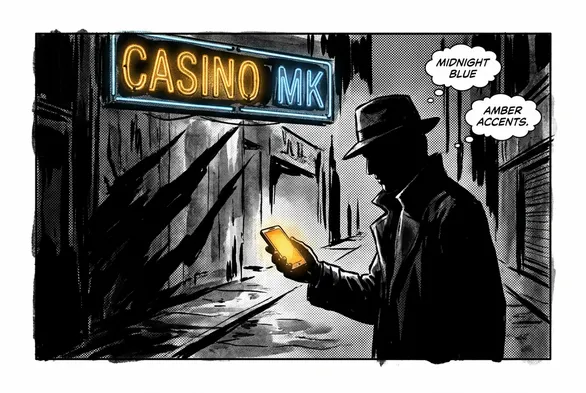

Downloading the App on Android and iOS
Our Casino MK app is part of the MERKUR Casino UK platform - the same brand behind the Milton Keynes venue and a network of casino and adult gaming centres across Great Britain. On Android you will find it under MERKUR Casino UK in Google Play, or you can jump in from the official download link on merkurcasinouk.com. Tap Install, wait while it does its thing, and the app will appear on your device. On iOS the flow is almost identical: open the App Store, search for MERKUR Casino UK, tap Get, then approve with Face ID, Touch ID, or your Apple ID password.
Before you start the Casino MK app download, it is worth a 10-second check that your phone or tablet actually supports it. The store page on Google Play and the App Store shows the minimum OS version and device requirements. A quick look there saves you having to troubleshoot a failed install later on.
Steps to download on Android:
- Open Google Play on your Android phone or tablet.
- Type MERKUR Casino UK into the search bar.
- Choose the official app listing from the results.
- Tap Install and let the download and install complete.
- Find the icon on your home screen or in the app drawer and open it.
- Confirm any permission prompts that are required for the app to run properly.
Steps to download on iOS:
- Open the App Store on your iPhone or iPad.
- Enter MERKUR Casino UK into the search box.
- Tap Get on the correct listing that matches our brand.
- Approve the installation with your Apple ID details or biometrics.
- Once the icon appears, tap to launch and move on to account setup.
There is one other habit we strongly recommend: for any casino or betting app, start from the operator’s own website rather than following an unknown third-party link. If you come through merkurcasinouk.com, you know the download points to our verified listing and not a copycat. It just saves problems.
Setting Up Your Account
After the Casino MK app download finishes and you launch the app, we show a welcome screen first. New customers can tap Register, and we then ask for the basics: name, date of birth, email address, and a password. Under UK regulations we cannot skip age checks, so the date of birth and age confirmation step is mandatory before you go further.
Once you submit the form, our system sends a verification link to the email you used. You need to click that link to activate the account. It usually arrives quickly, but if you do not see it after a few minutes, check the junk or spam folder, as mail filters tend to drop automated messages there.
Here is what helps to have ready when you sign up:
| Account Setup Step | What to Prepare |
|---|---|
| Personal details | Full legal name, date of birth, home address |
| Email verification | Access to the email inbox you register with |
| Identity confirmation | Government-issued ID may be requested |
| Safer gambling settings | Your preferred deposit limits and reminders |
| Payment method | UK debit card, PayPal or another supported option |
Tip: For smooth sign-up, prepare your ID and payment method in advance. Responsible gambling tools are available in account settings after registration.
Once you log in for the first time, it is a good move to head straight into Account Settings. From there you can set up safer gambling preferences before you start using the app. The app may include a Safer Gambling area with tools for deposit limits, session reminders, and self-exclusion controls, which should be verified on the official product page. Everything sits in one place, and doing this at the beginning keeps you from digging around for these options later on.
Getting Around the App
When you open the app, the main dashboard is your starting point. Here you can see your current balance, a snapshot of recent activity, and quick access tiles for promotions and venue details. Navigation runs along a bottom bar with separate tabs for Home, Venue, Offers, and Account, so you can move between sections without hunting through hidden menus.
The Venue tab focuses on the physical Casino MK location in Milton Keynes, subject to verification of the app interface. It pulls up core information like opening hours, directions, and basic contact details. That way, if you are travelling to the venue, you do not need to search the web every time for how to get there or when we are open.
The Offers tab shows promotions currently linked to your membership. That can include loyalty rewards and benefits that connect directly to your in-venue play at Casino MK. If you prefer to be prompted when new offers go live, you can enable notifications in your phone or tablet settings so that these alerts come through automatically.
The Account section is where you manage your personal profile. This is where we store your contact details, default payment options, and your preferences for how we contact you. By tapping Edit Profile, you can adjust these fields and the changes will save immediately in our system.